
With Modern Fields, you can register your own post types and taxonomies without a single line of code, like CPT UI or ACF.
It’s simple, quick and very easy. You won’t need another plugin for this purpose anymore.
Register a custom post type
Just go to Modern Fields > Post Types to register a new post type.
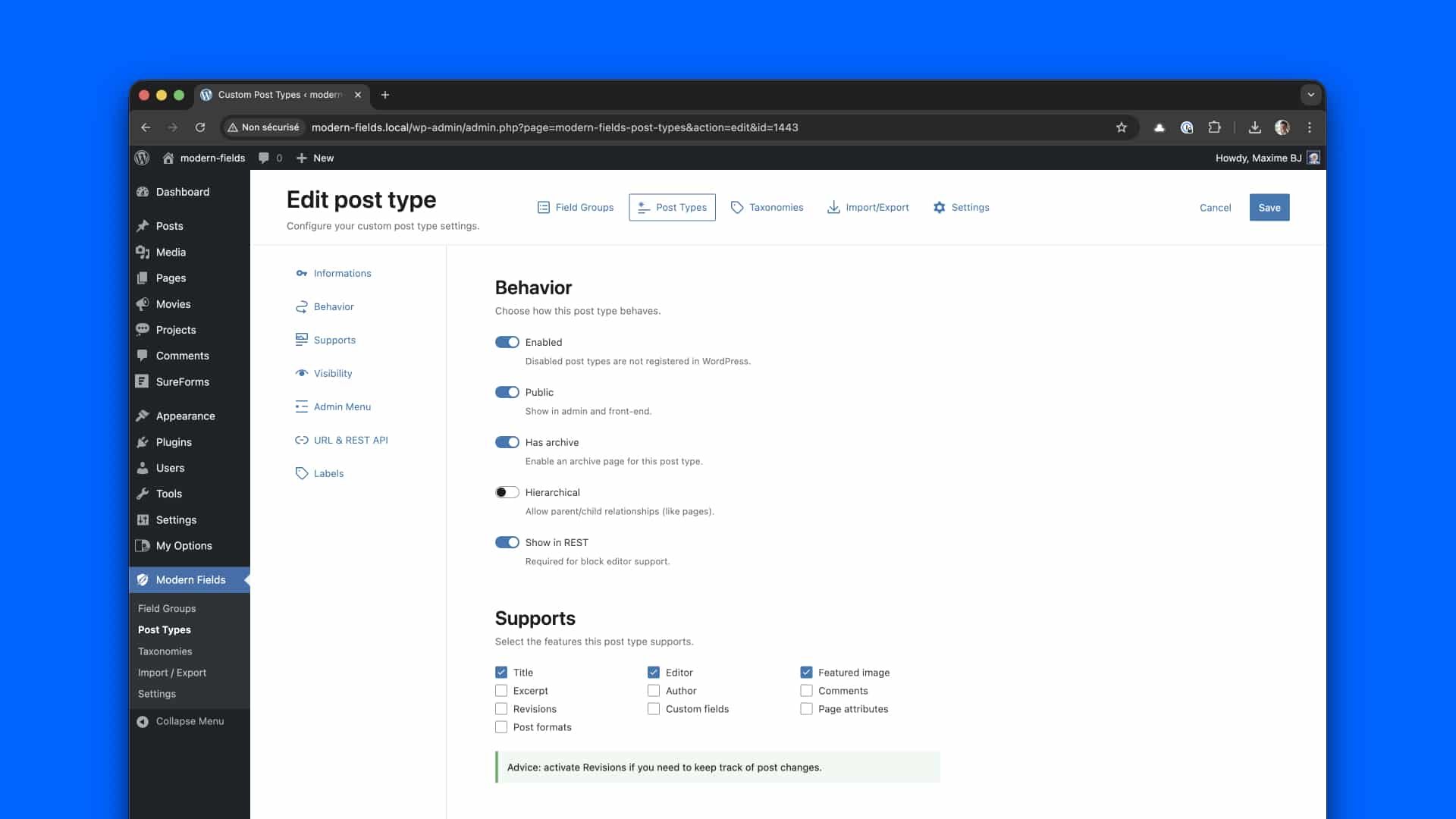
You need to define at least :
In Informations section:
- The post type key. It must be unique and you shouldn’t change it afterward
- Singular and plural label, used in the admin and the website
In Behavior section:
- Enabled should be on.
You can keep any other value by default. You can overwrite the auto generated labels if you need.
You can also customize the icon and position of the post type menu.
Position 20 will set the post type menu just after Pages, while position 90 will display the menu at the very bottom of the admin menu. Other values are:
- 2 – Dashboard
- 4 – Separator
- 5 – Posts
- 10 – Media
- 15 – Links
- 20 – Pages
- 25 – Comments
- 59 – Separator
- 60 – Appearance
- 65 – Plugins
- 70 – Users
- 75 – Tools
- 80 – Settings
- 99 – Separator
Learn more about menu positions in WordPress and about Custom Post Types in the WordPress documentation.
Register a taxonomy
Just go to Modern Fields > Post Types to register a new post type.
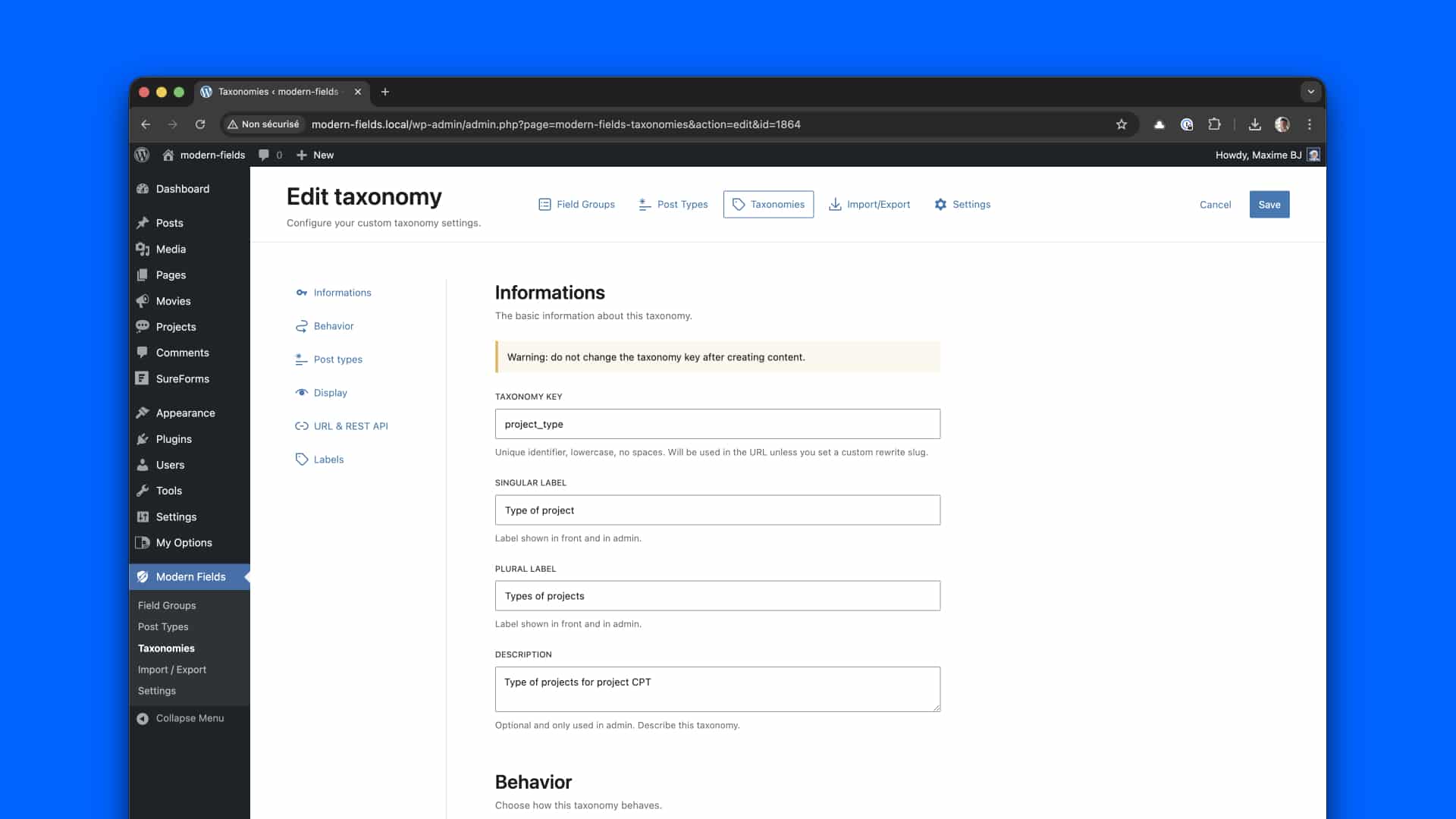
You need to define at least:
In Informations section:
- Define the taxonomy key, which should be unique.
- Singular and plural labels, used in the admin and the site.
In Post types section:
- Choose at least one post type to attach the taxonomy to.
In behavior section:
- Enabled should be on.
The Hierarchical option will define the interface of the taxonomy.
- Enable if you want the same behavior as categories,
- Disable if you want the same behavior as tags.
You can keep any other value by default. You can overwrite the auto generated labels if you need.
Learn more about taxonomies in the WordPress documentation.
Trash, restore and delete
In the list, Move to trash removes a post type or a taxonomy without deleting it: it stops applying, and you can bring it back with Restore. Use the Active / Trash filter above the list to see what is in the trash.
Permanently delete removes it for good. The values already saved in your content are not deleted.
Import and export CPT & taxonomies
You can import, export CPT and taxonomies in JSON and even automatically synchronize them in your theme. Checks our docs for more information!