
Modern Fields has a built-in support to export field groups, custom post types and taxonomies.
Export items in JSON
Start by clicking on Modern Fields > Import / Export.
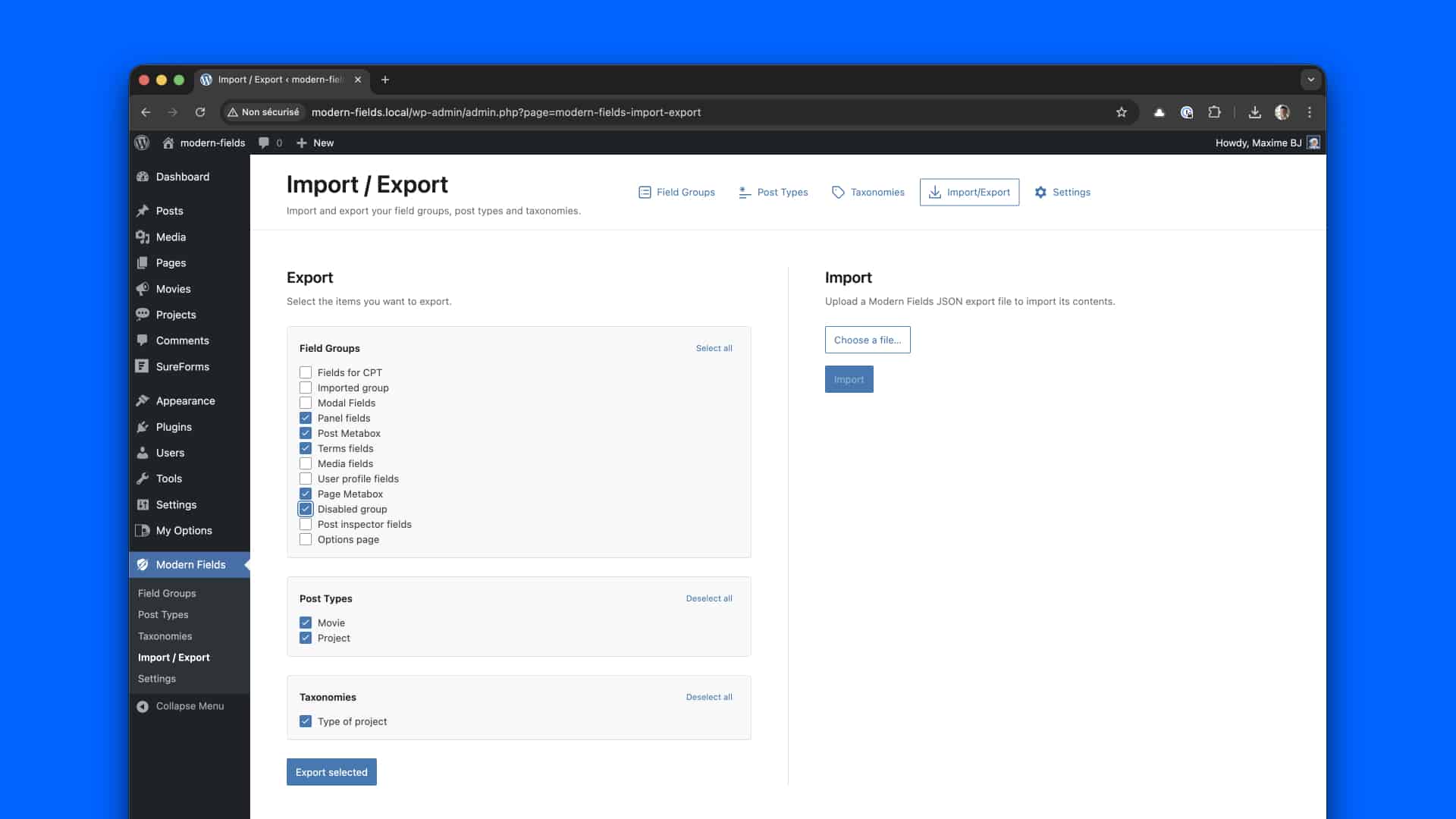
Select the items you want to export between:
- Field groups
- Custom Post Types
- Taxonomies
Then, just click on Export. a JSON file will be downloaded, containing all exporter items.
Import from JSON
Start by clicking on Modern Fields > Import / Export.
Click on Choose a file… and select a file from your computer.
Then click on Import.
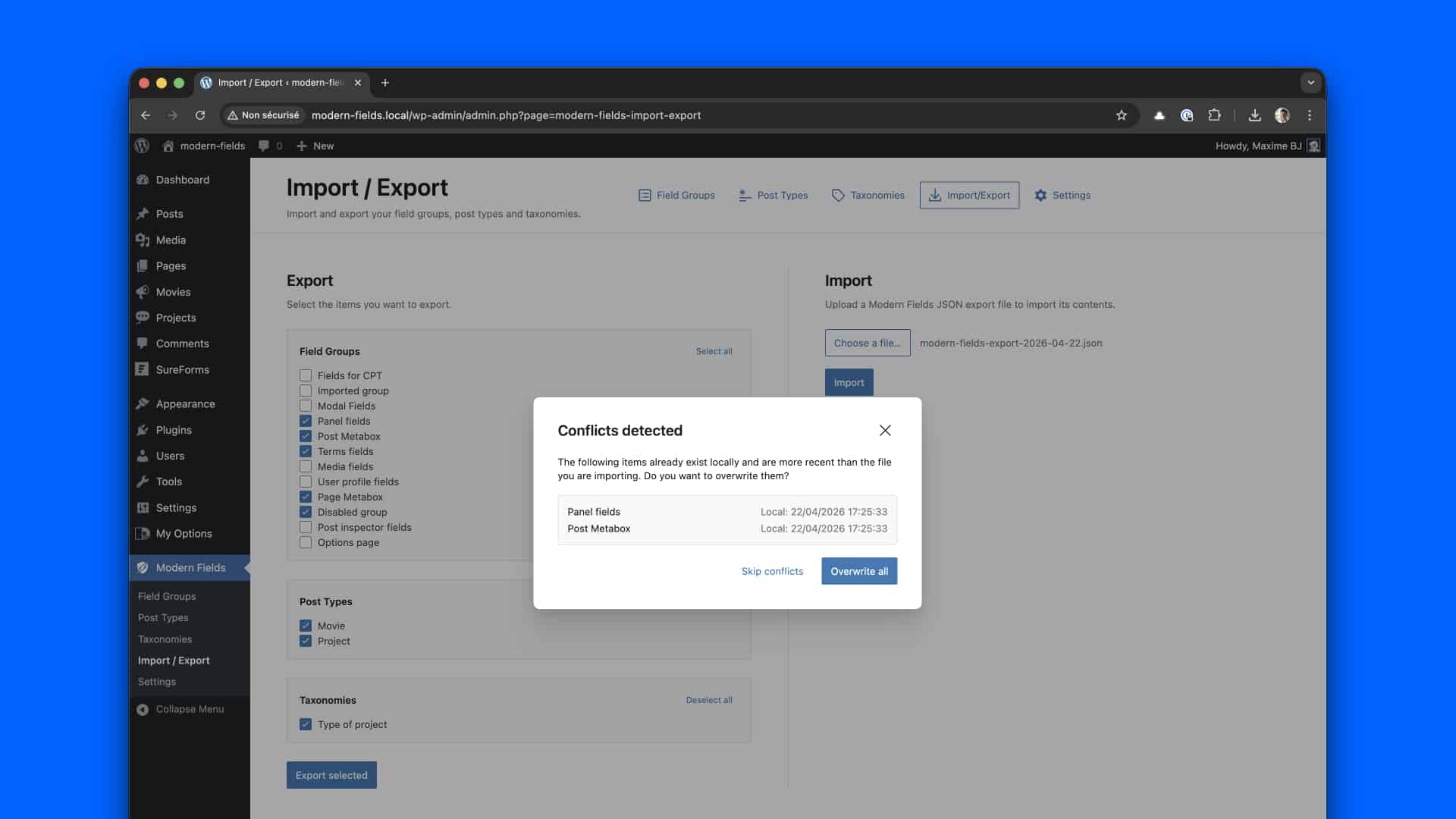
If conflicts are detected, you’ll be asked to choose:
- Either to skip older items
- Either override current items
Conflicts may occur when a field group has been modified on your site more recently than its JSON counterpart.
Synchronise JSON with theme
If you are a theme developer, you can sync JSON with the theme. take a look at this post: how to sync your groups with your theme.
Import & Export via WP CLI
Modern Fields also provides WP CLI commands for developers to import and export groups directly from the terminal.
Here are some examples:
Learn more on the WP CLI import & export documentation.