
Sometimes, adding fields without overcomplicating the interface is no easy task. With Modern Fields Pro, you unlock new locations to add fields exactly where they make the most sense for each situation.
Advanced locations are only available in the pro version of Modern Fields.
Metabox
Available in free plugin
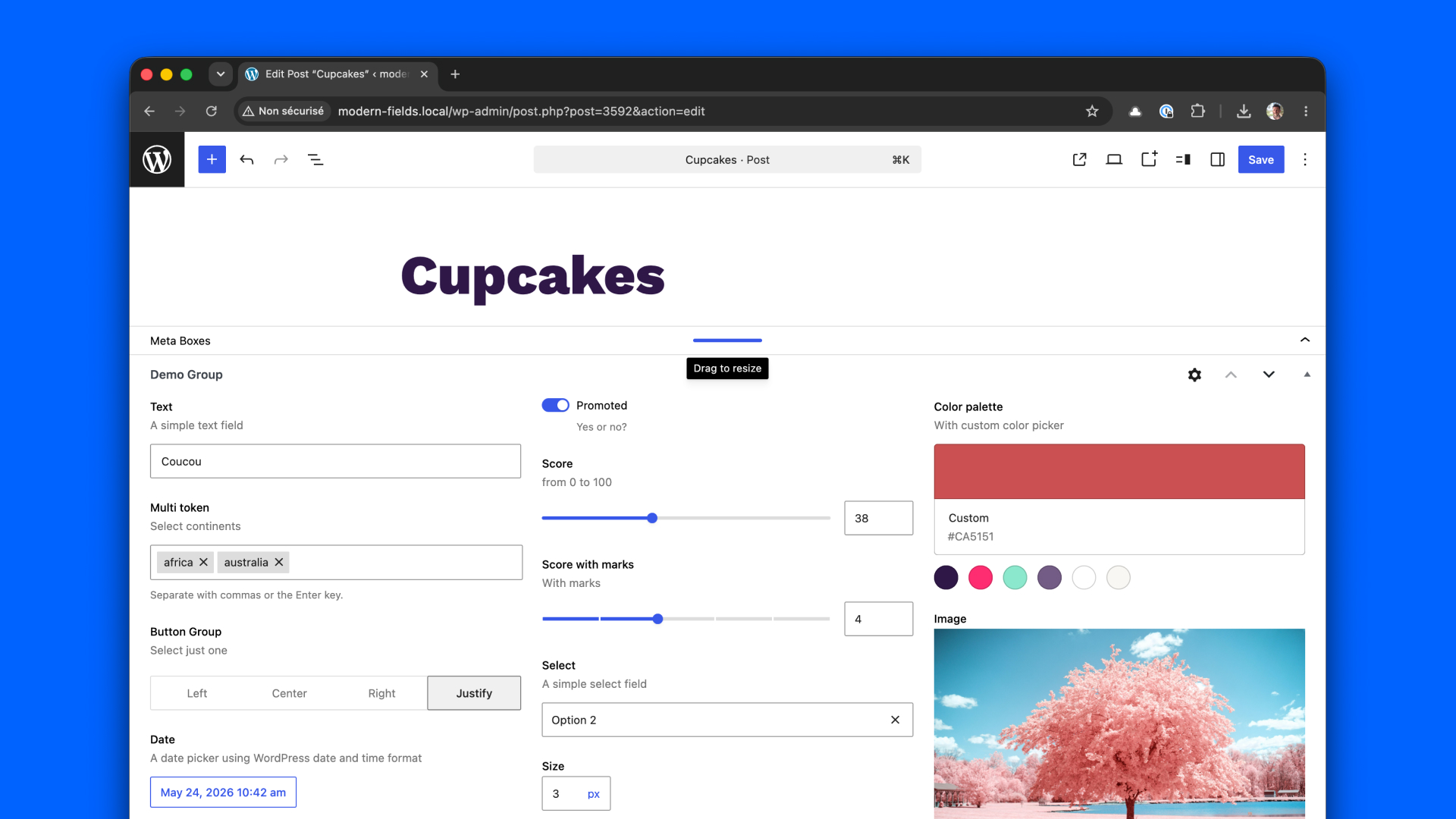
The metabox is the default location for your fields. Located at the bottom of the editor, it allows plugins to add extra information there. It’s best suited when you have a lot of fields.
This location works well with field groups arranged in columns.
Inspector
Available in free plugin
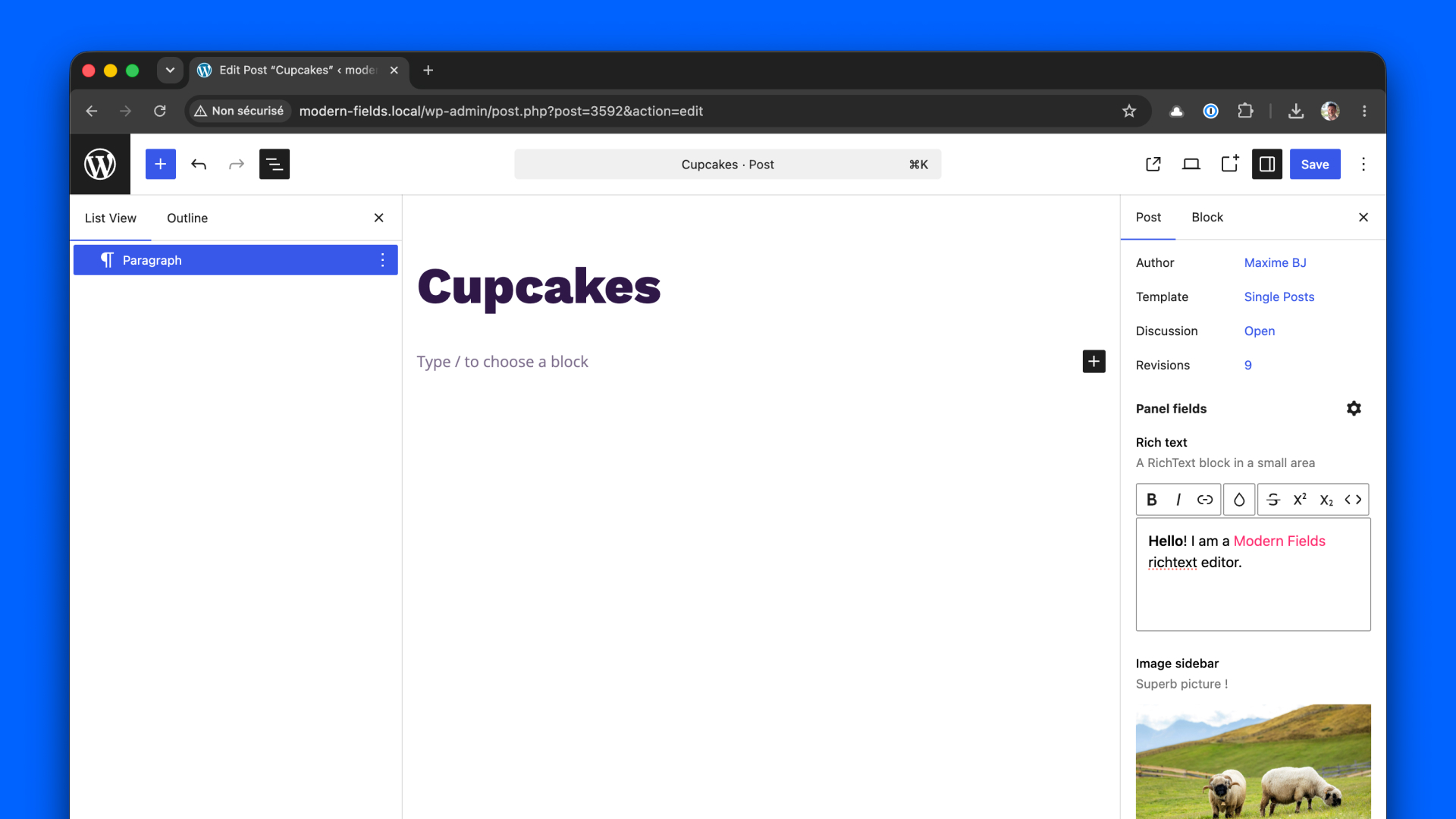
The inspector is the right sidebar in the editor. In posts, you can already find information there such as the featured image, author, publication date, and revisions.
By choosing this location, you can add your own fields right after them.
This location is ideal for fields that relate to the publication status rather than its content.
Modal
Available in all pro licences
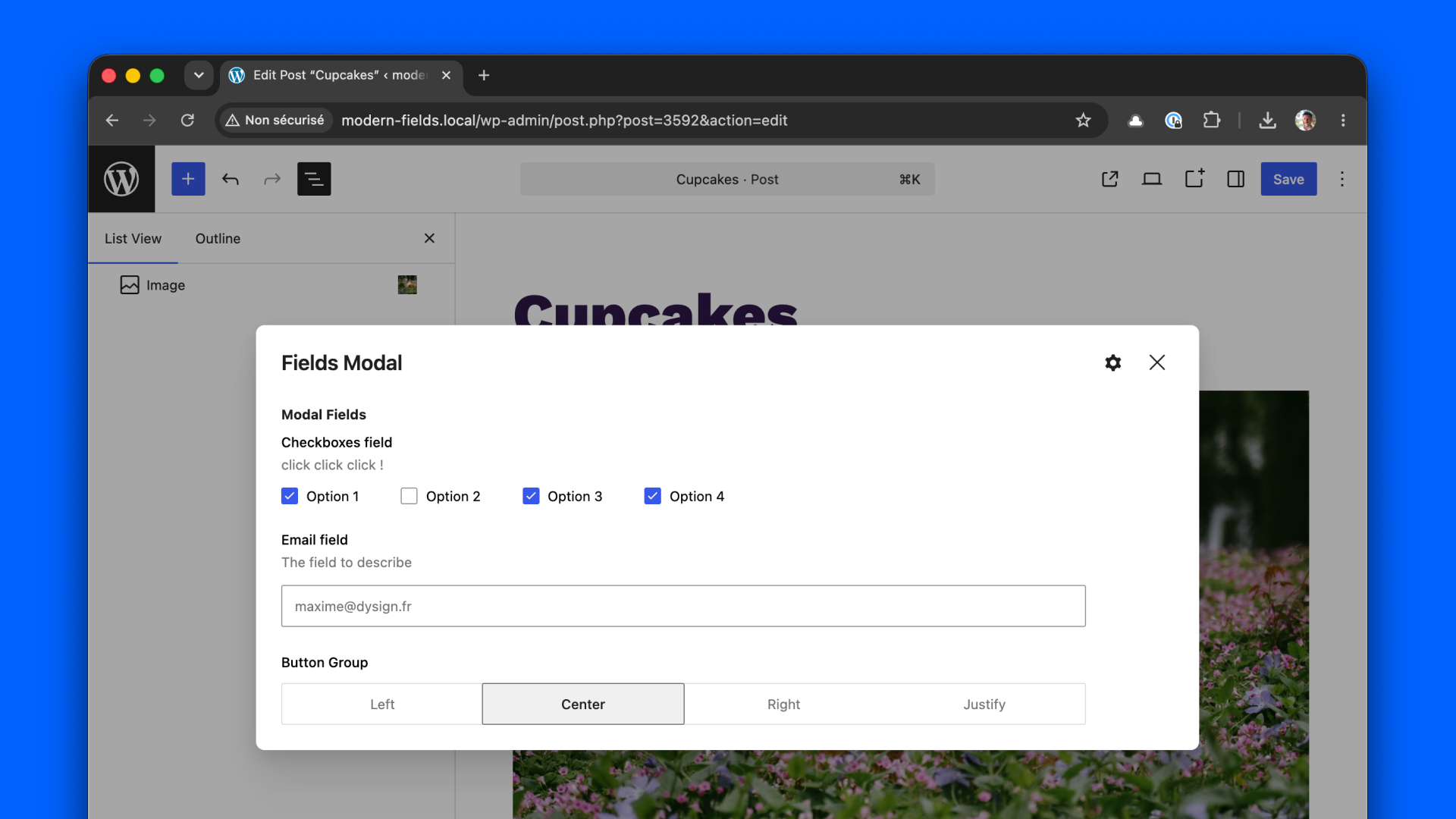
When you want to add fields to your posts in a discreet way, you can assign them to a modal window, which can be opened with a single click via a button at the top of the editor.
Separate panel
Available in all pro licences
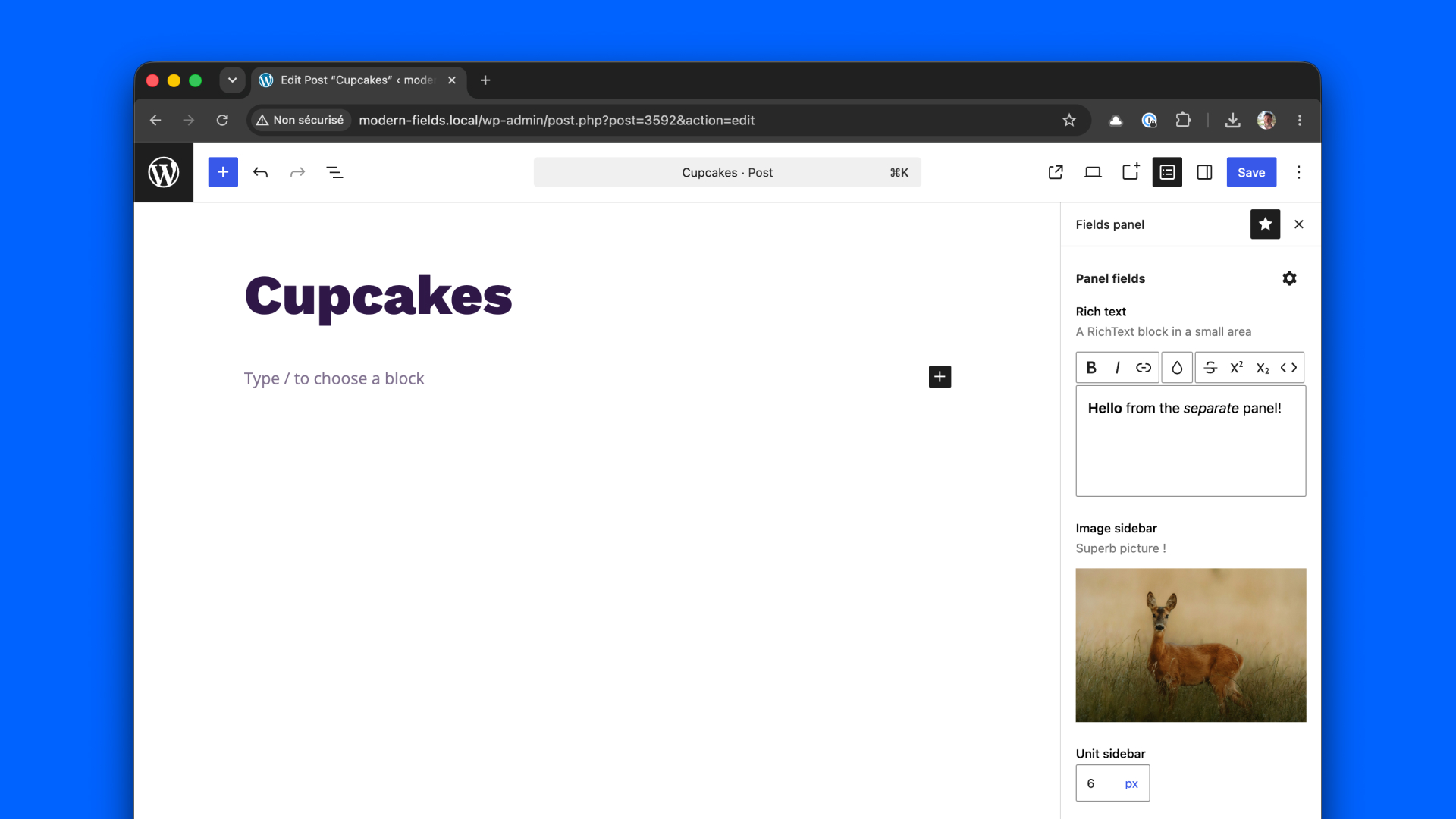
The inspector can get quite crowded by default. It can therefore sometimes be wiser to place your fields in a separate panel, which you can open with a single click at the top of the editor.
Sliding drawer
Available in all pro licences
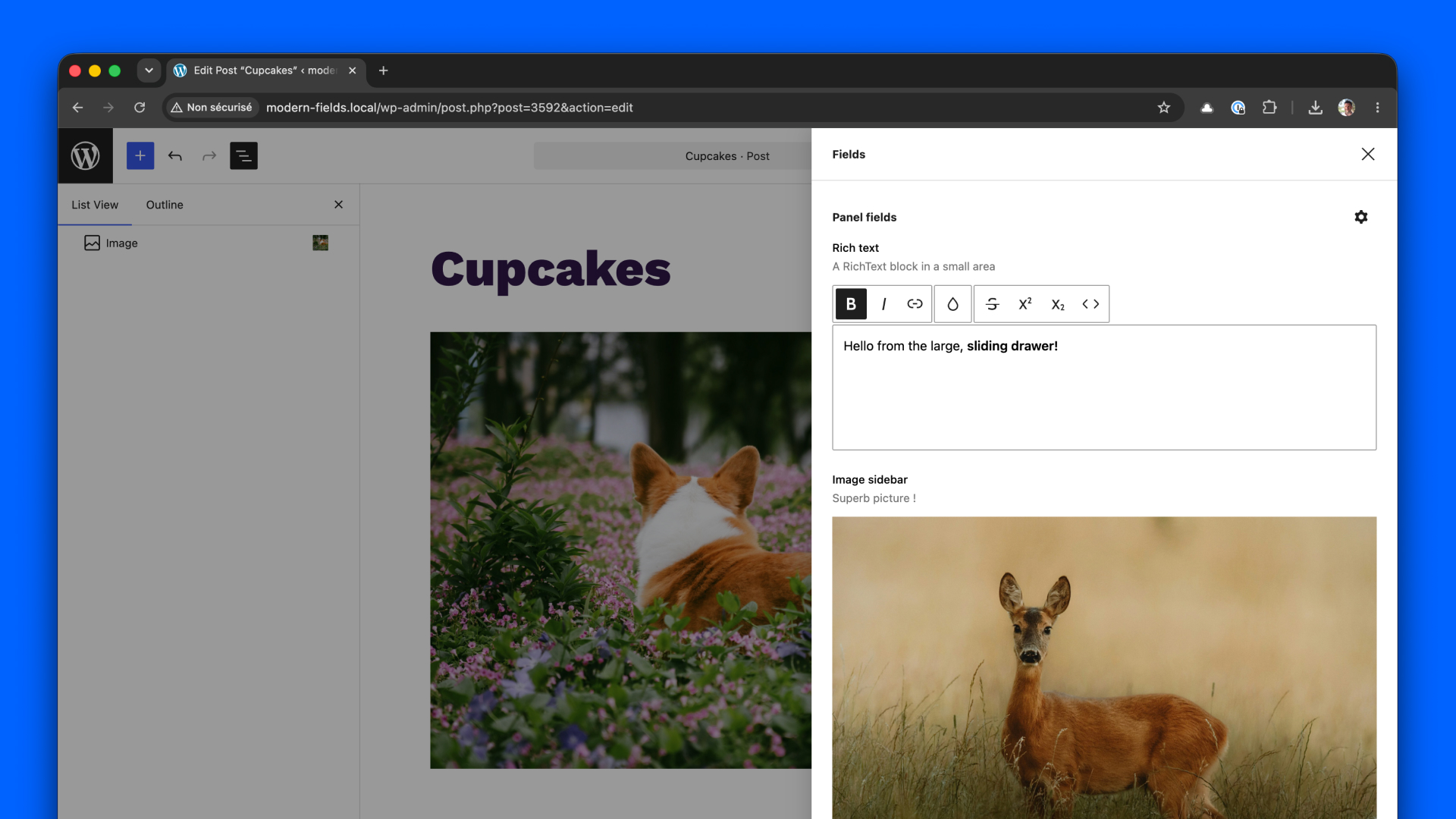
And finally, a large drawer sliding from the right side of the screen with a lot of room for all your fields. Activate it with from a button on the top of the editor.
This location is best suited when you need space, for example, using the relation field.