
Conditional logic is a container that lets you apply rules based on the value of fields in order to hide part of it, streamlining the user interface.
Conditional logic is only available in the pro version of Modern Fields.
Configuration
First, go to Modern Fields > Fields groups and add the Conditional Logic block. It’s a container where you can fit multiple fields inside.
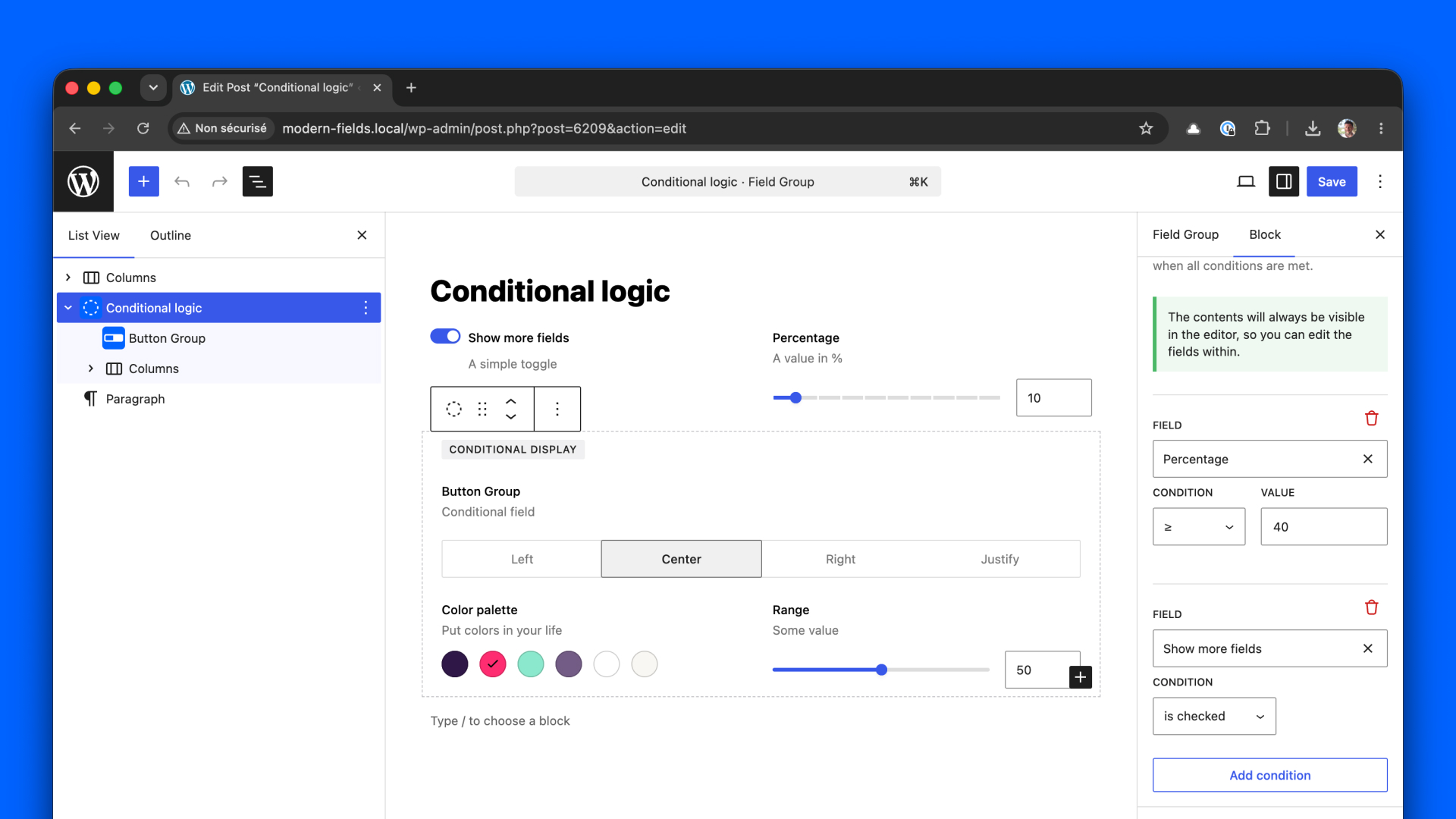
You can define one or more combined rules to control the display of the container.
The rules only apply for the fields outside the container. Text and number fields are compared to a value, choice fields (select, radio buttons, button group, checkboxes) to one of their options, and toggles on whether they are checked.
Image, file, gallery, icon, relation and repeater fields can be tested on whether they are set.
Usage
In the post displaying your field group, the conditional container will be hidden until the conditions are met.
Combine rules with AND and OR
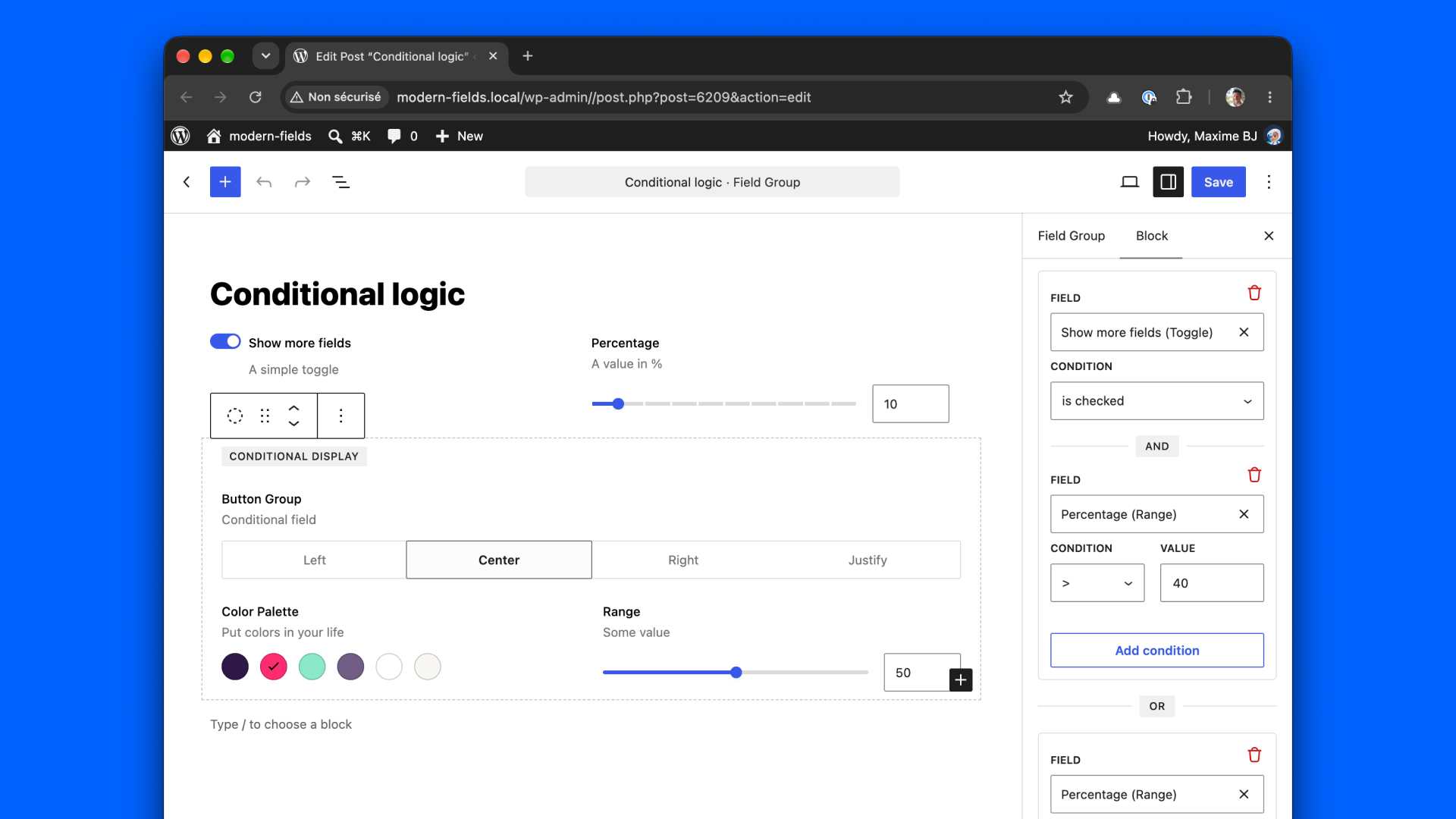
Rules in the same group must all be valid: they are joined by and. Click Add OR group to start another group: the fields appear as soon as one of the groups is valid.
For example, to show the fields when “A and B, or C”, put A and B in a first group and C in a second one. The relation is written on the separator between rows, so the rule reads at a glance.
Get values from a conditional container
The conditional container has no impact on retrieving values on the front-end.
You can still use the usual the_field() and get_field() functions.