
Meta data is also great for filtering posts by specific criteria. Modern Fields lets you do this without writing any code, thanks to the Query Loop block.
Query loop filters are only available in the pro version of Modern Fields.
Filter the query loop block
To get started, you need to assign a field group to the post type you want to display using the query Loop block.
Then, in a page or a template, insert the query loop block. In the inspector, select “Custom” in Query type option.
Note: the query loop block must be selected, not the post template block.
Scroll down and you’ll see a panel named “Filter by Meta“.
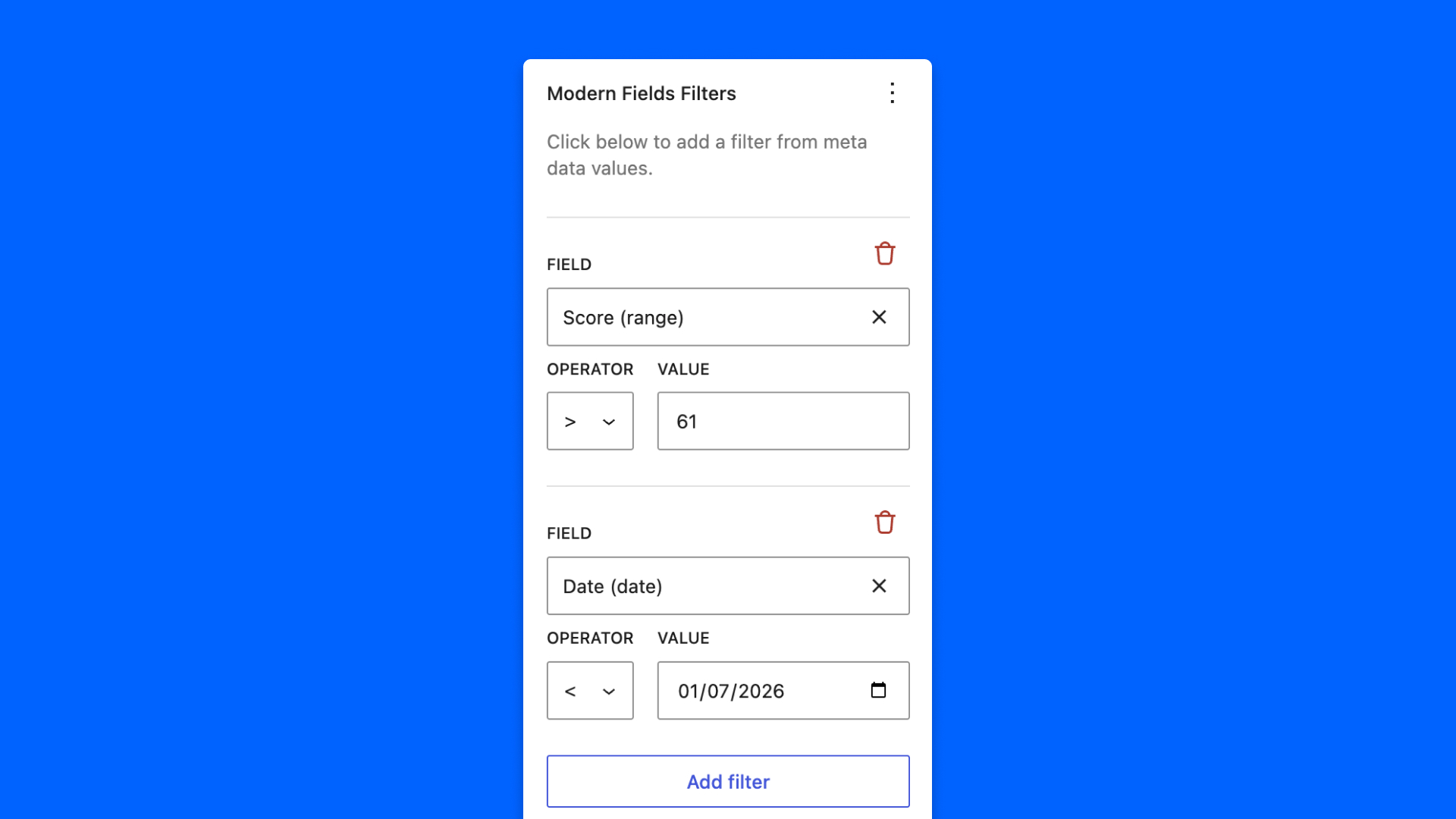
Select the fields and set the rules: the query loop preview should update in real time.
Filters in the same group must all be valid (and). Click Add OR group to start another group: a post shows up as soon as one group is valid (or). A group whose filters are all incomplete is ignored, so it never widens the results by accident.
You can filter on number, range, toggle, unit, text, email, textarea, rich text, date, time, select, radio buttons, button group, checkboxes and multi token fields.
Filter by date: Today
A date filter can compare to a Fixed date or to Today, with operators such as is before today or is today or after. Today is resolved each time the query runs, in the site’s timezone: a list of upcoming events stays up to date on its own. Date fields in time-only mode are compared as times.
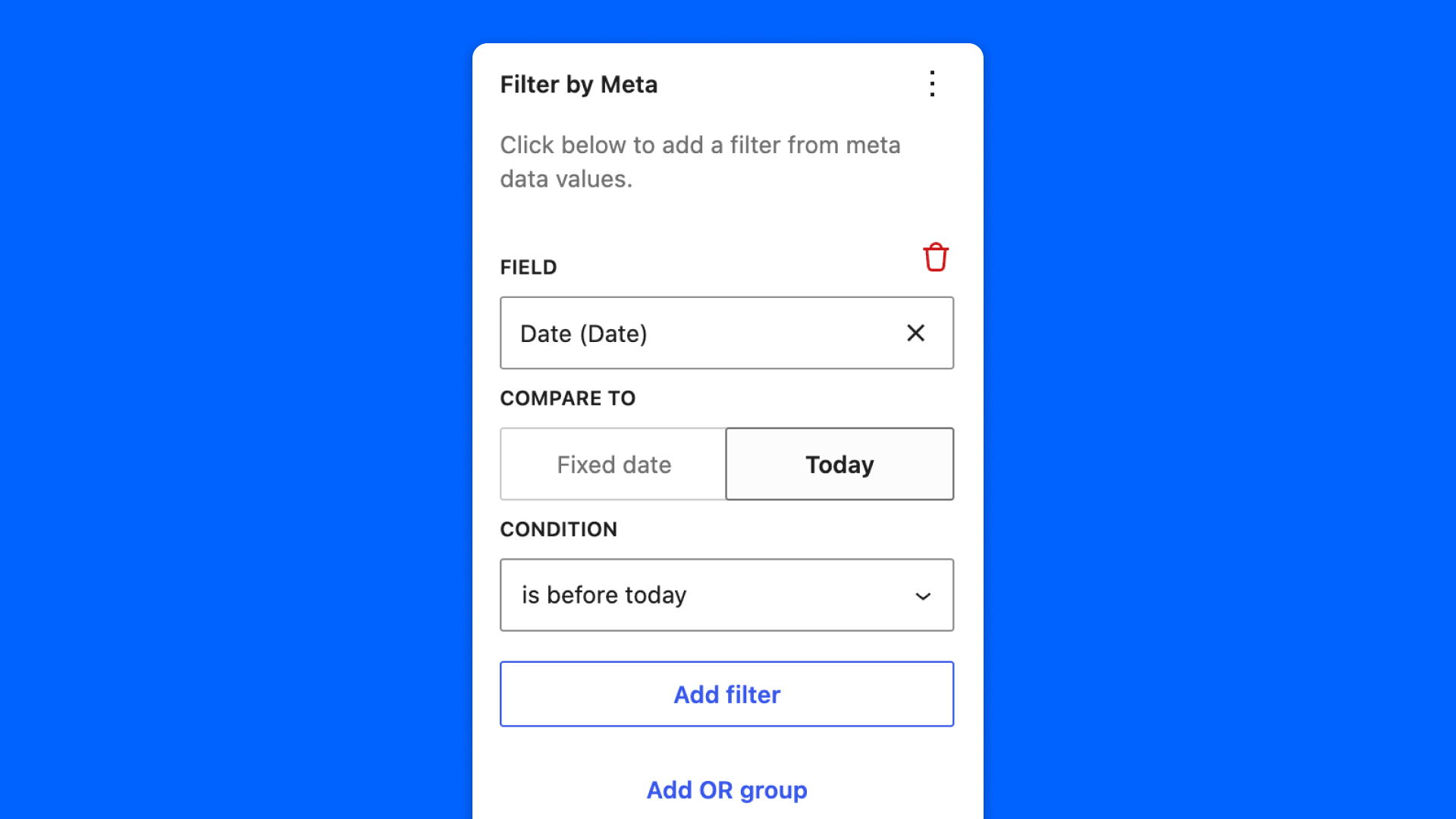
It’s useful for example to display only events in the future, like and agenda.
Check this video for more information:
Order posts by a field
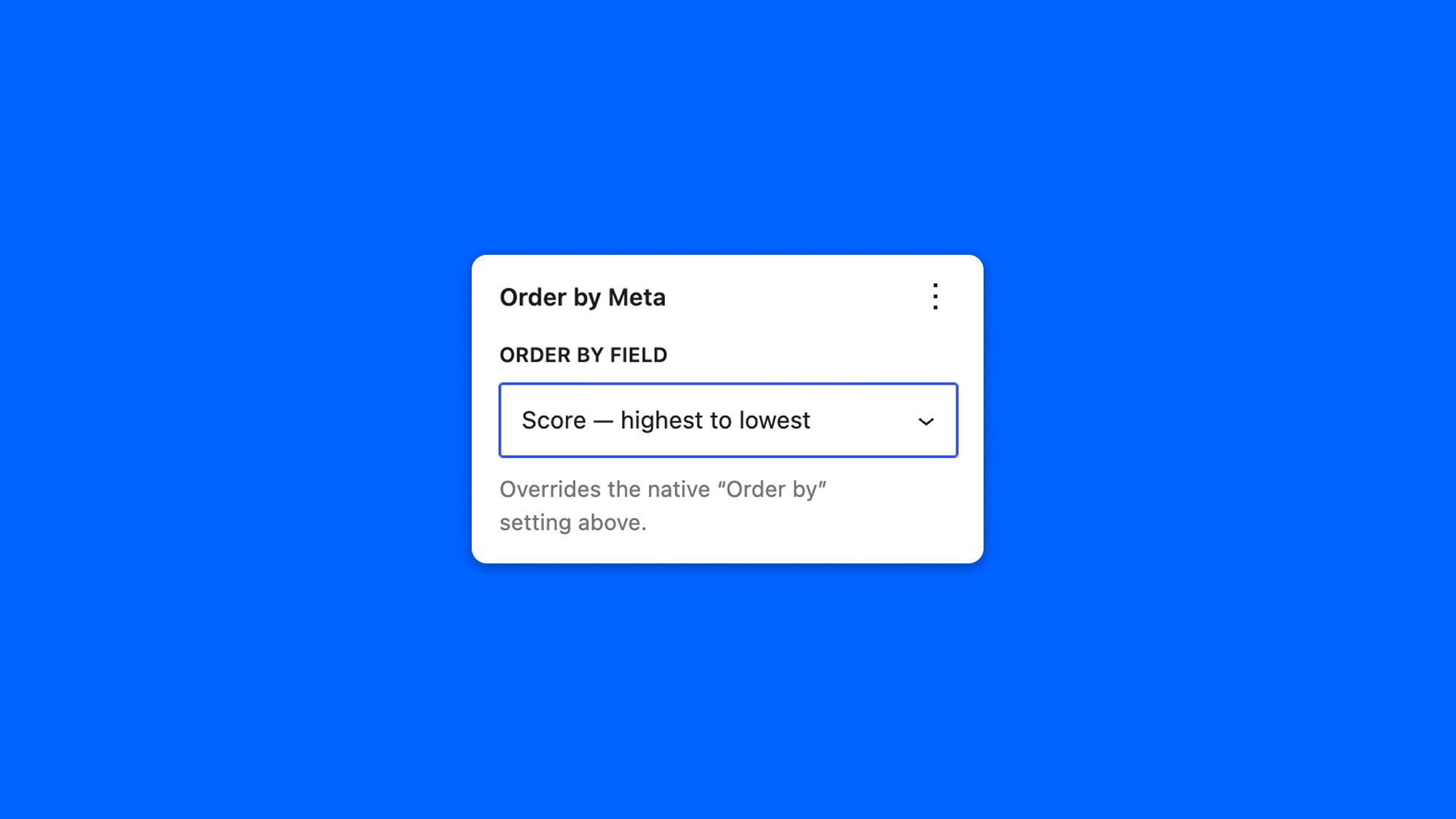
In the Order by Meta panel, just below, pick a field in Order by field with its direction, for example Price — lowest to highest or Event date — newest to oldest. Number, range and date fields can be used to order posts.
Ordering is independent from filtering: resetting one panel leaves the other untouched. If the field used for ordering is deleted, or no longer applies to the post type, the ordering keeps applying and shows as (unavailable).
Filter with code
You can also filter a query loop with a bit of PHP code, with native WordPress hooks like pre_get_posts and query_loop_block_query_vars.
With WordPress, you can either filter the main template WP query, or filter a specific query loop block.
Filter the query loop block
First, you need to get the query loop unique ID. Switch to “Code editor” (3 dots on top-right of the editor).
Search for <!-- wp:query and get the ID in the queryId property. Then, go to your functions.php file and add this snippet:
This will filter the posts where the meta score is below 70.
Filter the main query
And to override the main template query:
In this example, it is the main loop of the blog homepage template that is being overridden.
Read about query vars and the WP Query in the WordPress official documentation.